Screens
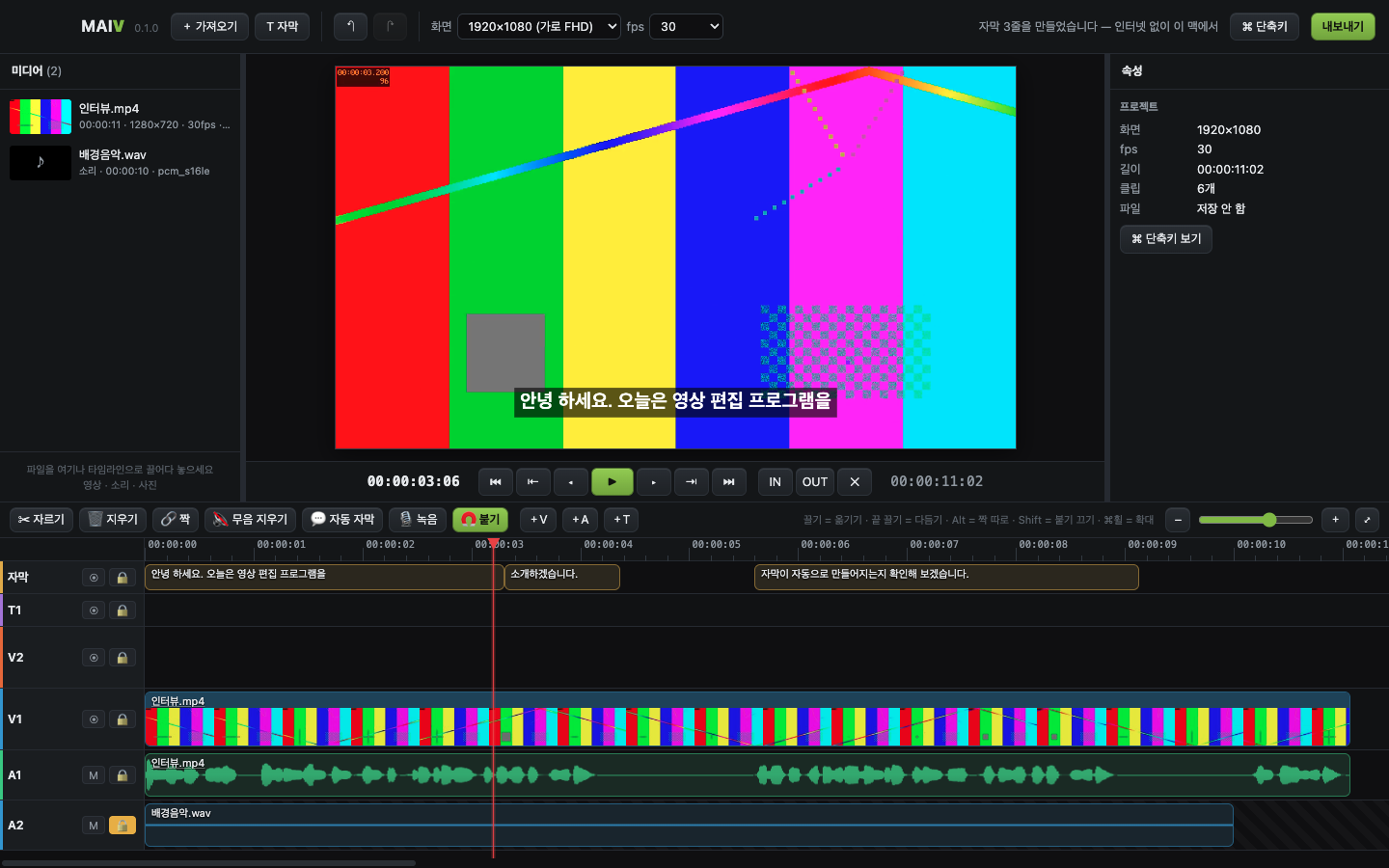
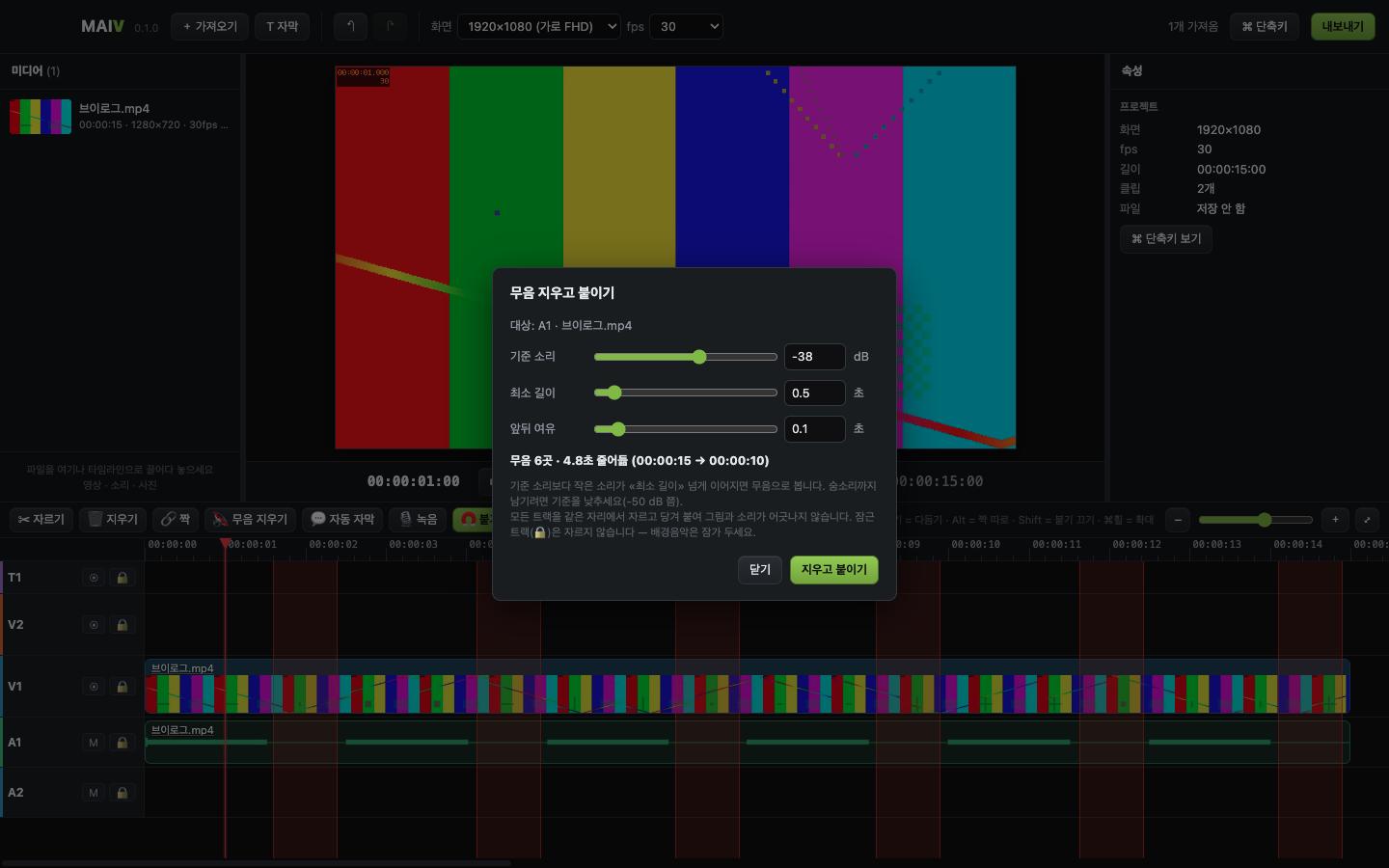
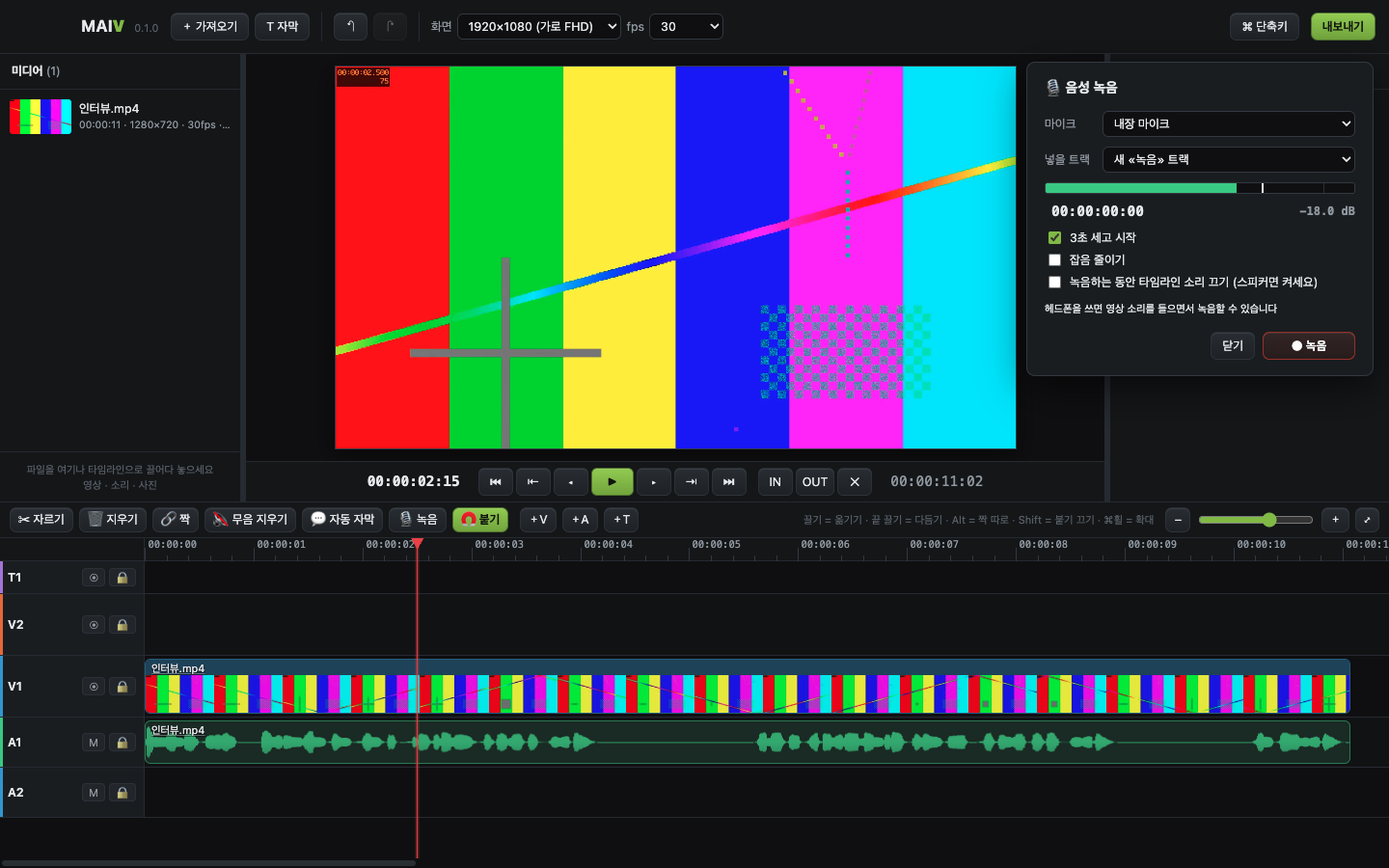
The footage shown is a colour-bar test clip. The app interface is in Korean today.
One-click silence removal, automatic subtitles and plenty of handy tools.
Cut the pauses between words in one click and let subtitles be written on your own computer. Buy once. Keep it.
Video, audio and subtitle tracks. Cut, trim, snap, undo. Vertical Shorts and 4K canvas presets.
Finds the pauses between words and removes them in one go, keeping picture and sound in sync.
Turns speech into subtitles in Korean, English, Japanese and Chinese. It runs entirely on your own computer — no internet, and your video never leaves it.
Scene transitions (dissolve), speed 0.25x–4x, freeze frame, colour correction, position and size keyframes, marker and YouTube chapter export, automatic vertical Shorts (9:16) conversion, screen recording, an export queue and automatic music ducking.
Record narration while you watch the video and it lands right where you are.
The new AI Tools tab next to the Browser makes images, short scene videos and sound effects, lets you audition voices, and shows the result in the Viewer.
Give it a topic and Mixia writes the script, picks the voice, makes the pictures, subtitles, titles and background music. AI Edit lets you type what you want — cuts, markers, titles, Shorts segments.
A monthly plan that lets you use the AI with just an email login — or bring your own keys. MAIV itself stays a one-time purchase; Mixia Credits is a separate monthly plan.
Mixia Lite ₩9,900/month · 1,000 credits
Mixia Pro ₩29,000/month · 3,300 credits
Billed monthly by card in Korean won · credits refill at each payment and don't carry over · cancel any time in My Library (usable until the next billing date) · log in with your email in the app for 30 free trial credits. Sign up at maebook.com first. If your card isn't accepted, email mixingart@naver.com.
Rough usage: voice 1,000 characters 100 · image 2–15 each · 5-second video 60–80 · sound effect 10 · an AI script ≈ 10 credits (1 credit ≈ ₩10).
MP4 (H.264 / H.265) and ProRes, plus an .srt subtitle file. Fast hardware encoding on Mac.
The footage shown is a colour-bar test clip. The app interface is in Korean today.
Yes — Windows 10/11 (64-bit). One purchase covers both Mac and Windows, with the same key. Face-tracking and "remove background (people only)" currently work on the Mac version only.
Yes. Download the trial above. Without a key it opens as a trial: editing and preview all work, only export is locked.
That happens when the video file was moved or deleted. In 0.3.9, press “Relink” above the Browser (or right-click the clip ▸ “Relink file”) and pick the original file.
Comment permission was added in 0.3.11. In the YouTube upload window, disconnect and then connect again.
The core features — editing, auto-subtitles, silence removal — all run on your own computer, and your video and recorded audio are never sent to the AI. Only when you use the optional AI tools (AI Edit, scripts, images, scene videos, voices, sound effects) is what the request needs — the subtitle text or the description you wrote, and for scene videos the one starting picture you chose — sent to the Mixia server and the AI engines. YouTube upload sends that video to your own YouTube channel, only when you press it.
Sign up at maebook.com first, pay, and use the same email. After we confirm the payment, the key appears in your My Library within minutes. In the app, paste only the key, on a single line — that is the surest way (from 0.3.7 the app also finds the key if you paste the whole email; earlier versions could show a valid key as “not valid”). Use the email you bought with — capitalisation doesn't matter.
Before the download or license key has been issued, we refund in full within 7 days. After that, refunds are limited because the product has been delivered — contact us if you have trouble installing or activating.